Product Description
Description
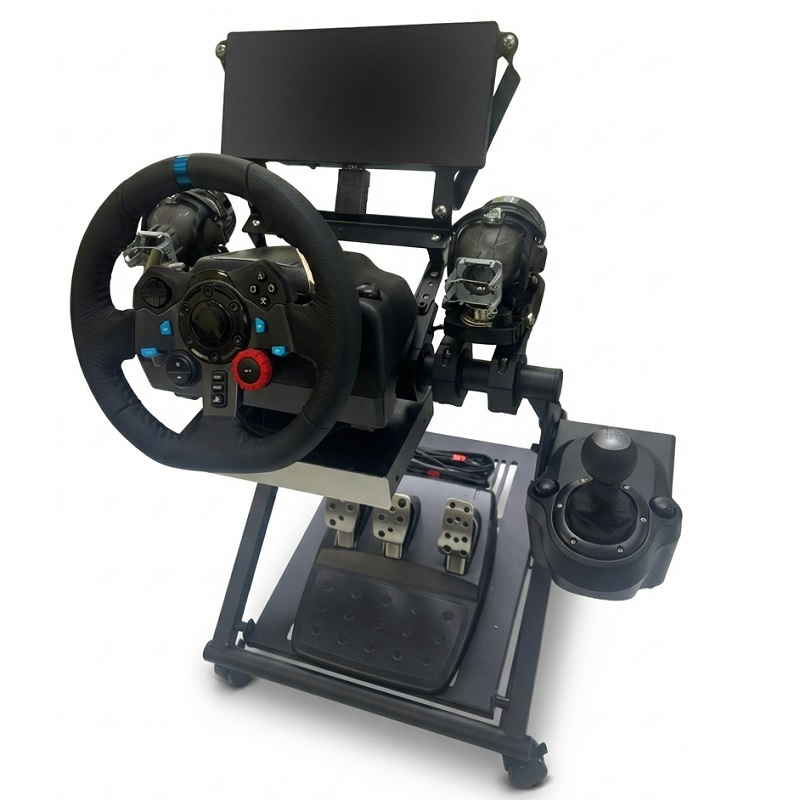
The DriveSim-100 utilizes real-time control of the Instrument Cluster and Adaptive Front-Lighting System (AFS) to enable the monitoring of actual CAN bus communication data during driving simulations. It enhances user familiarity with CAN bus communication architectures and message patterns, serving as a scalable platform for testing and development in related automotive applications.
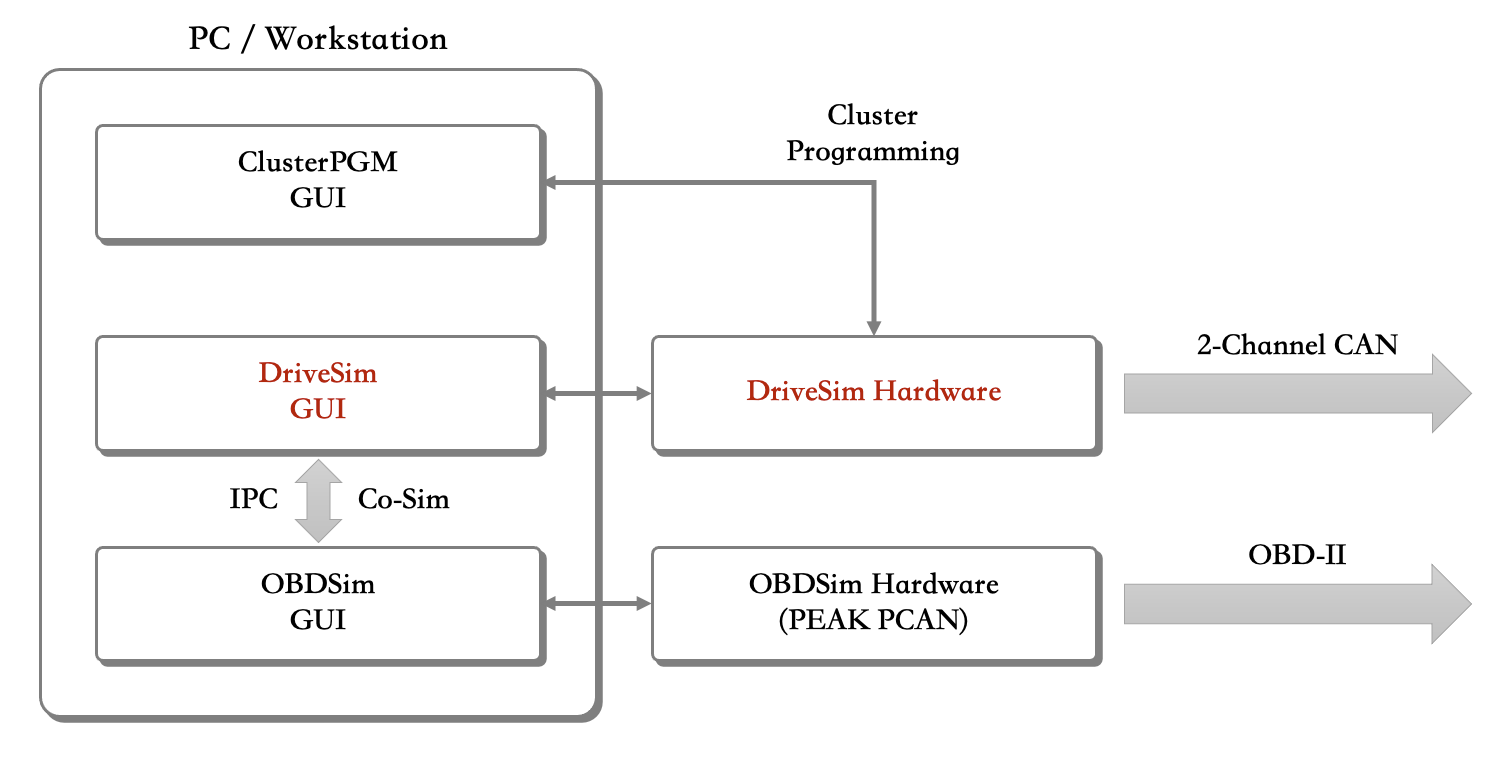
► Driving Signal & Protocol Simulation System
Modules and Devices
- Cluster Module (or Ford Mustang Instrument Cluster)
- Adaptive Front-Lighting System (AFS) Module
- Steering Wheel Controller (Logitech or PXN)
-
CAN Bus Communication and Control Unit
- Dual-Channel CAN 2.0 A/B (CiA 303-1 DB9)
- USB 2.0-to-CAN Interface
- Cluster Control Module
- AFS Control Module
- 12VDC/5A Power Supply
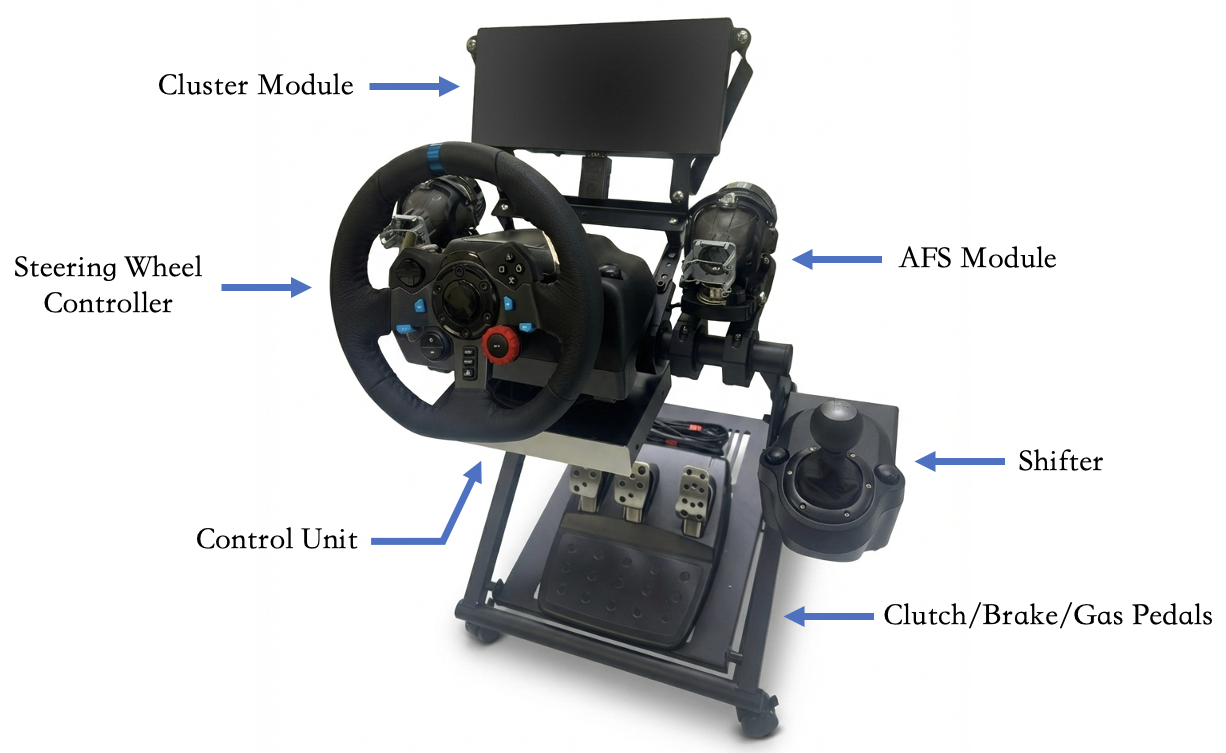
► Microport DriveSim-100
GUI
Device Controller
-
CAN Control and Configuration (Independently configurable per channel)
- Real/Virtual Interface
- Frame Format (Standard 11-Bit/Extended 29-Bit)
- Bit Rate (125 ~ 1000 kbps)
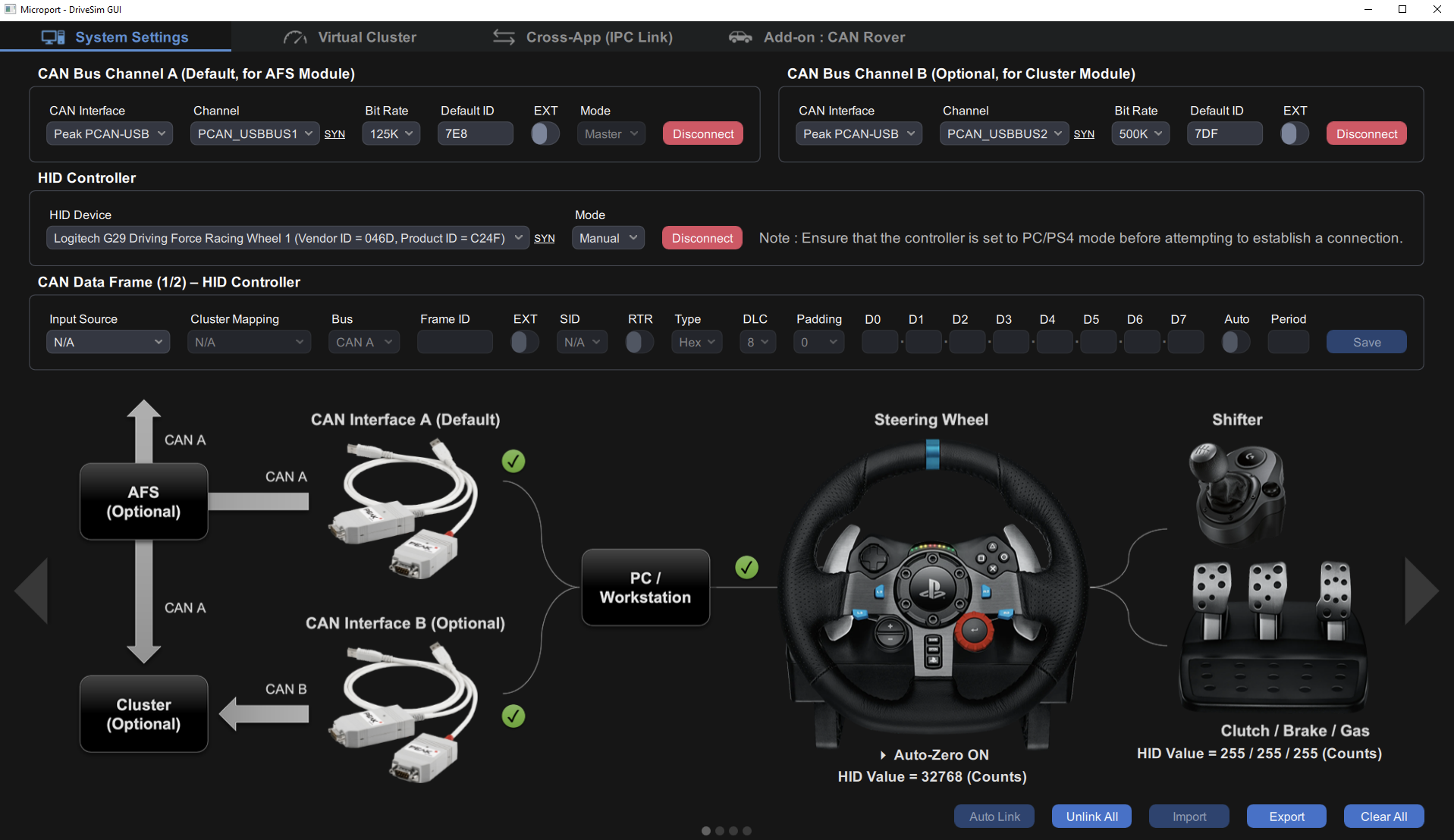
► GUI–Device Controller
Data Frame Editor
- Editable Parameters:Includes 22 physical and 26 virtual input sources
- High-Flexibility:Allows detailed customization of CAN Data Frame content
- Controller Input Mapping Functionality
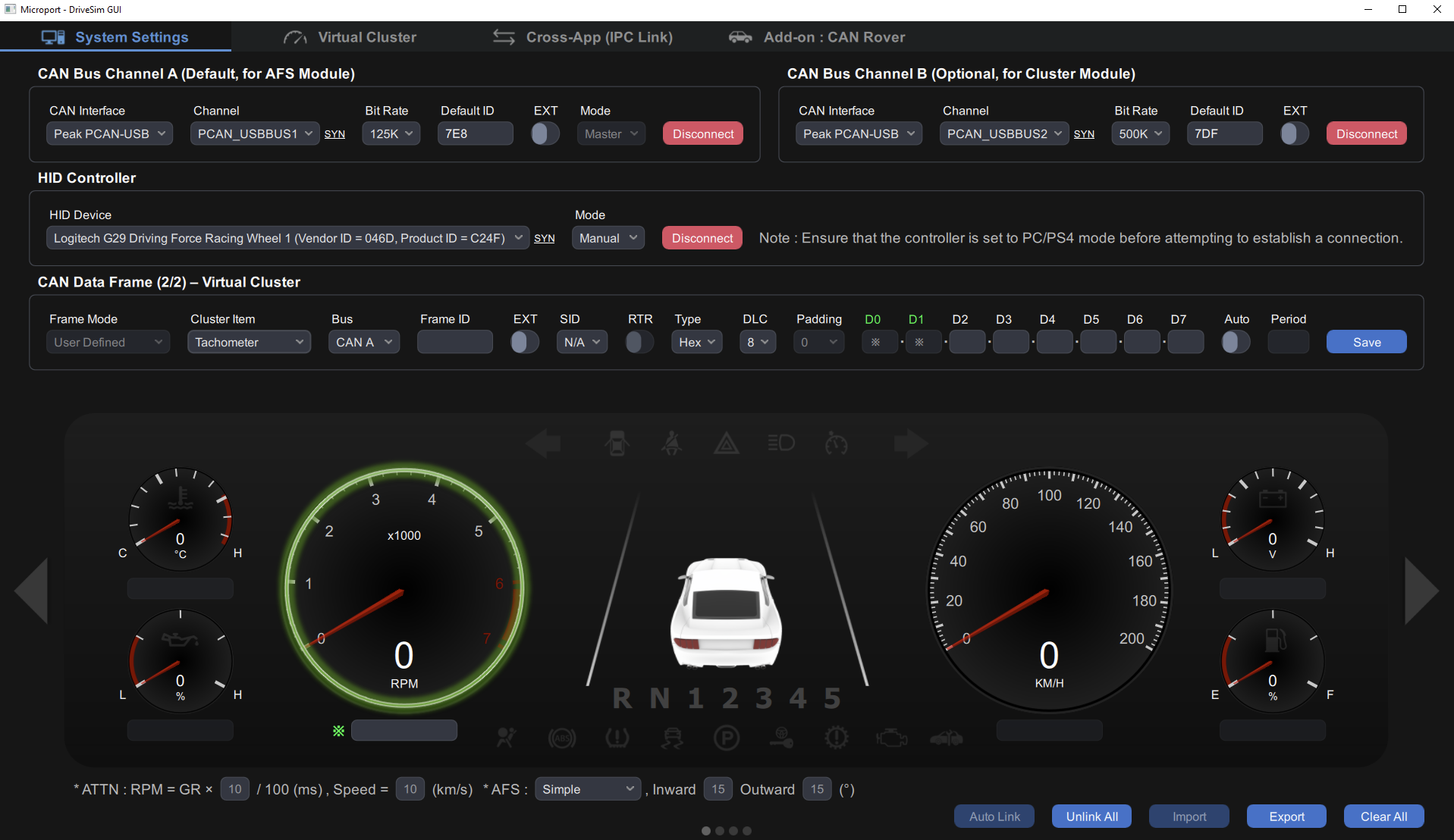
► GUI–Data Frame Editor
Virtual Cluster
- Control Modes:Supports both physical controller input and fully virtual control
- Real-time Display:Visualizes real-time data for 6 Gauges and 21 Indicators
- Interactive Adjustment:Allows values to be modified via drag-and-drop interaction, with real-time synchronization to the Cluster
-
AFS Simulation Capabilities
- Supports Class V/C/E/W Modes (ECE324-R123)
- Real-time Monitoring:Displays status and Inward/Outward angles
- Weather Simulation:Switchable Dry/Wet conditions (Class W)
- Physics Simulation:Configurable Road Resistance parameters for RPM/Speed attenuation
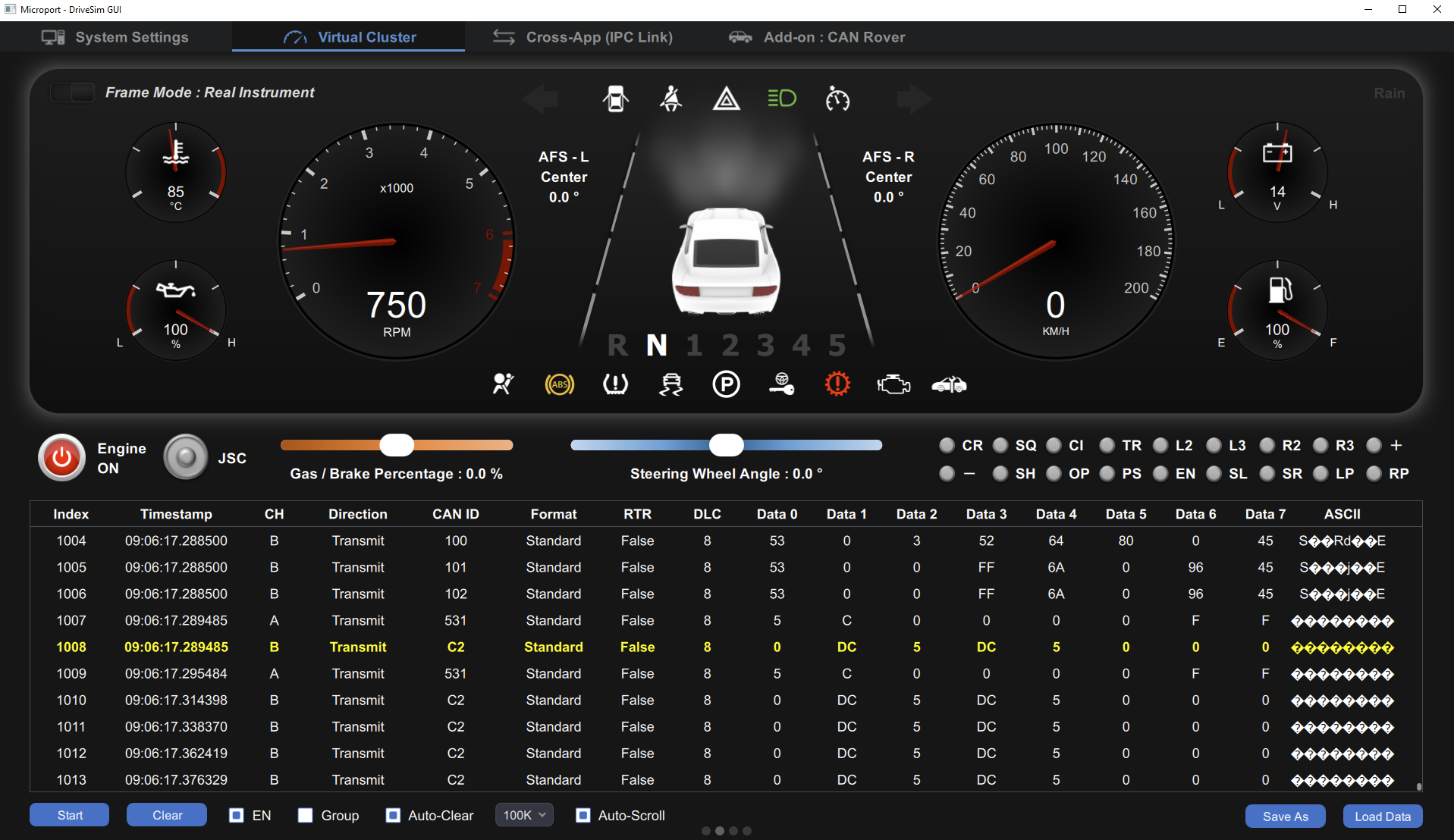
► GUI–Virtual Cluster and Data Frame Monitor
Data Frame Monitor
- Real-time Display:Includes details such as ID, FF, DIR, RTR, DLC, DAT (Hex), and DAT (ASCII)
- Section View:Data inspection grouped by CAN ID
- Data Logger:Supports CSV import/export
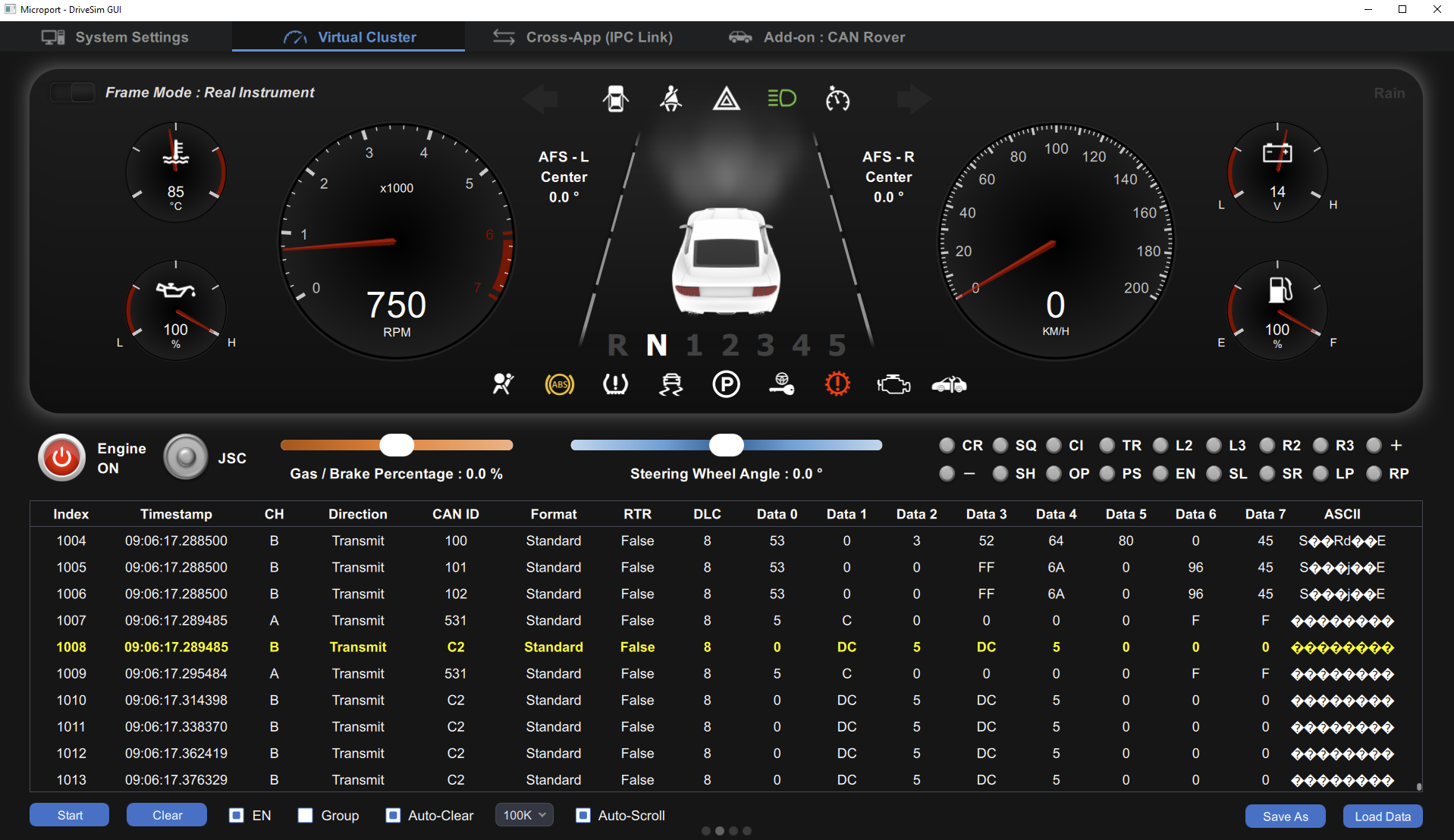
► GUI–Virtual Cluster and Data Frame Monitor
Add-ons (Optional)
-
ZMQ-based IPC (Inter-Process Communication) (Co-Simulation with other systems)
- EX:Microport OBD-II Simulator
- Control functionality for Microport CAN Rover
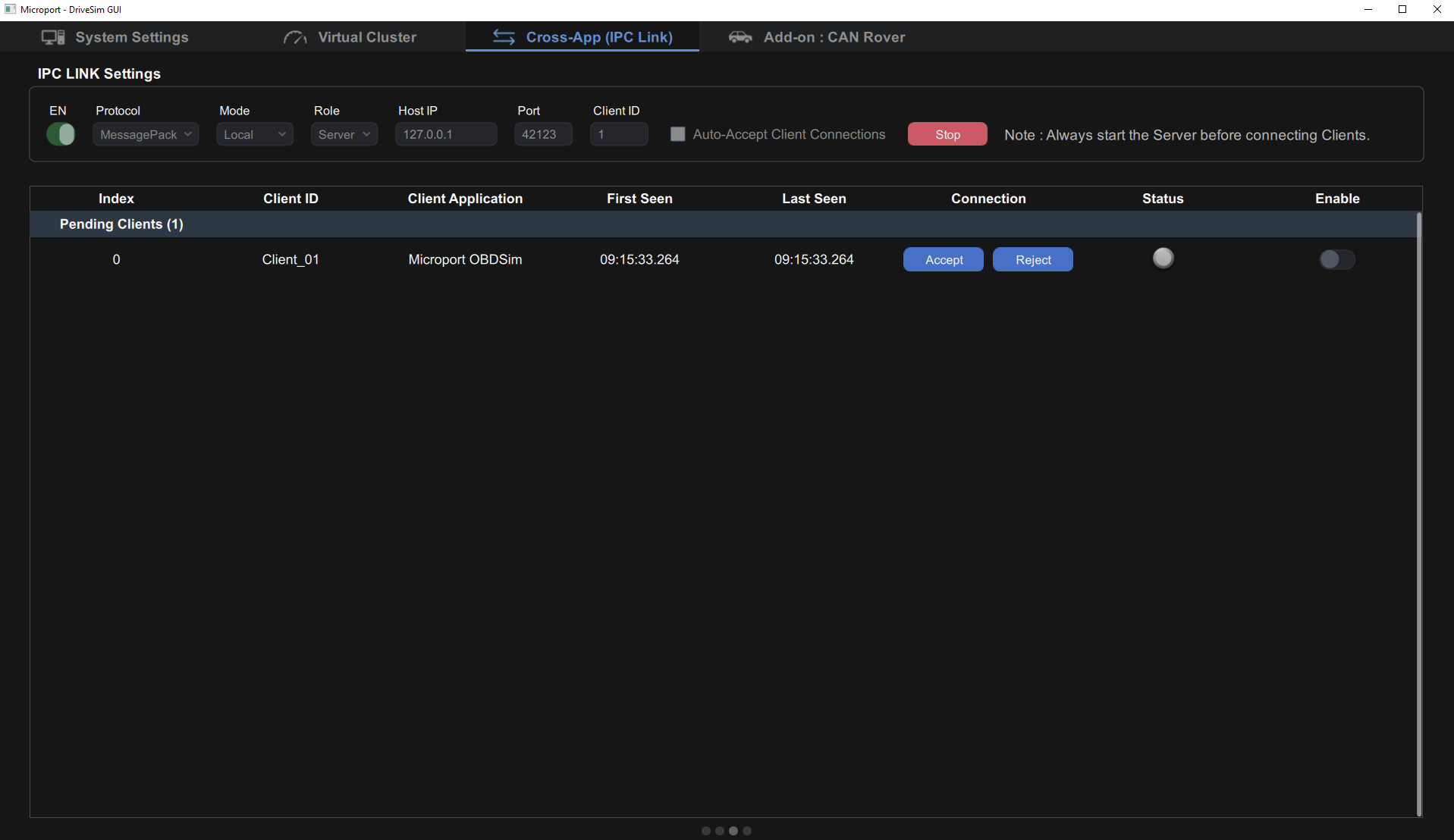
► ZMQ-based IPC (Inter-Process Communication)
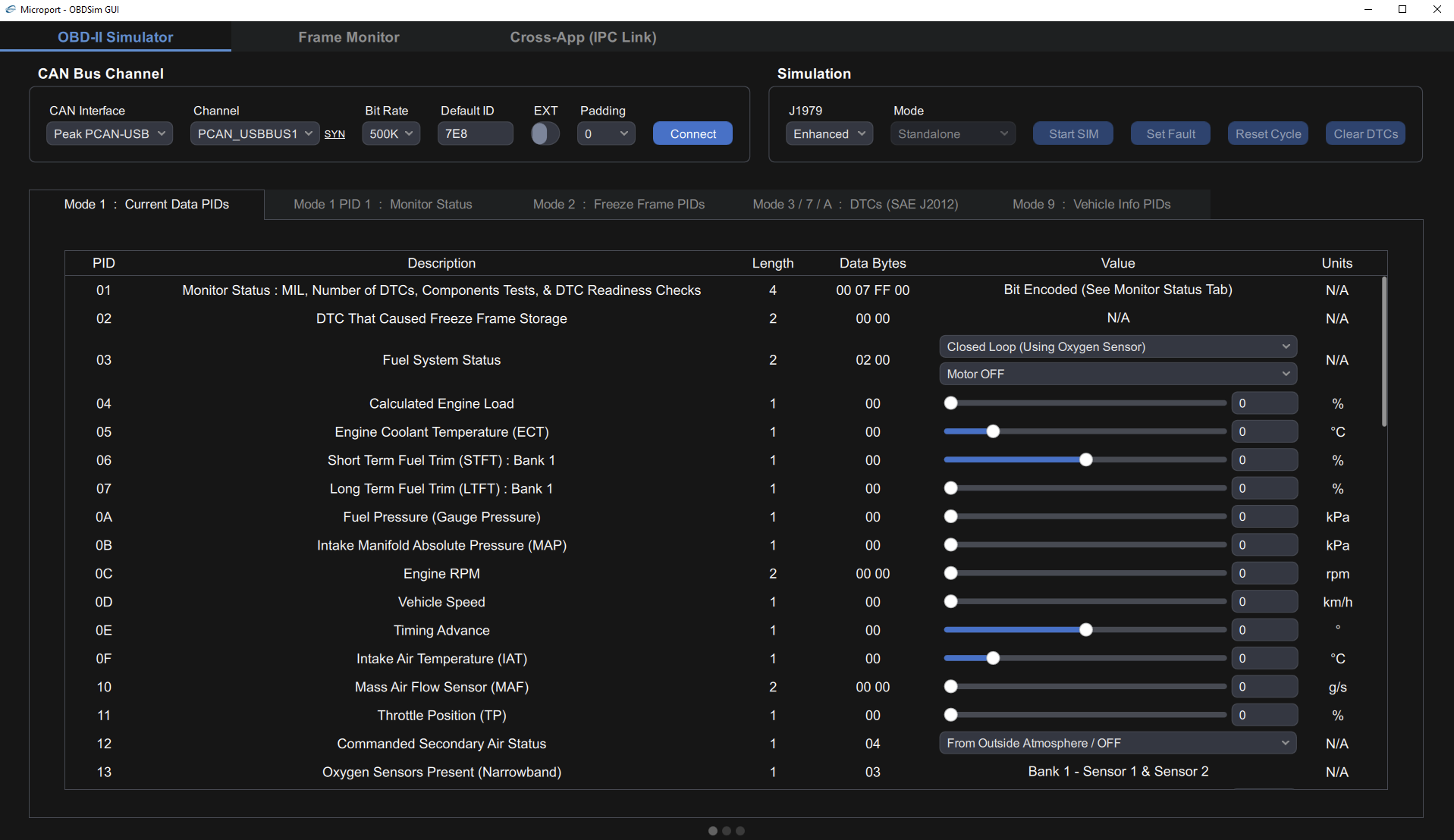
► Co-Simulation w/ Micropot OBD-II Simulator
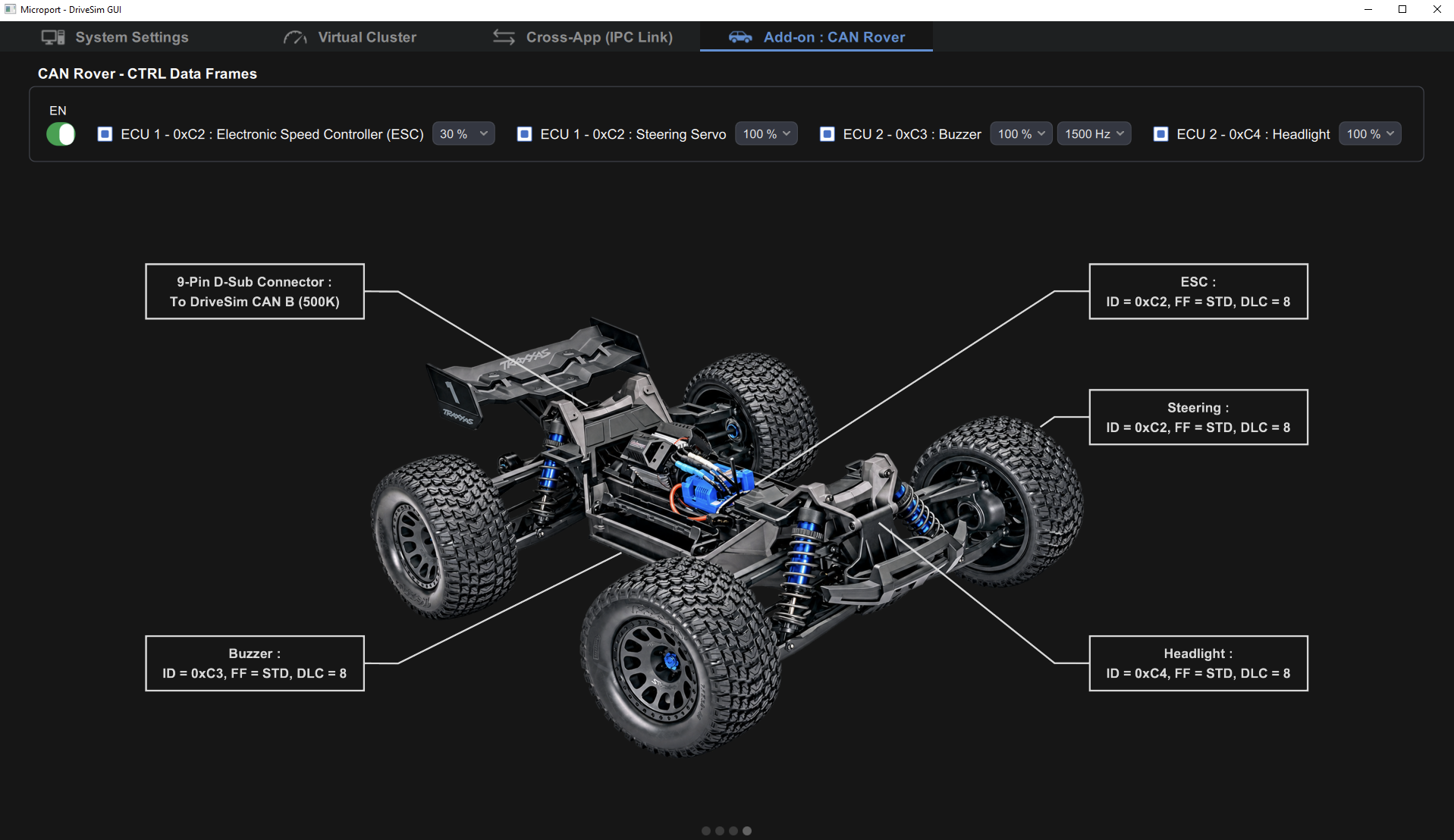
► Control functionality for Microport CAN Rover
Note:
2. EOL products will not be notified separately.
3. Product images are for reference only. Actual products may vary depending on the version or specifications.
4. Product information, specifications, and availability are subject to confirmation at the time of order.