CANsub.2
Part No.: MPCSS-CANsub.2
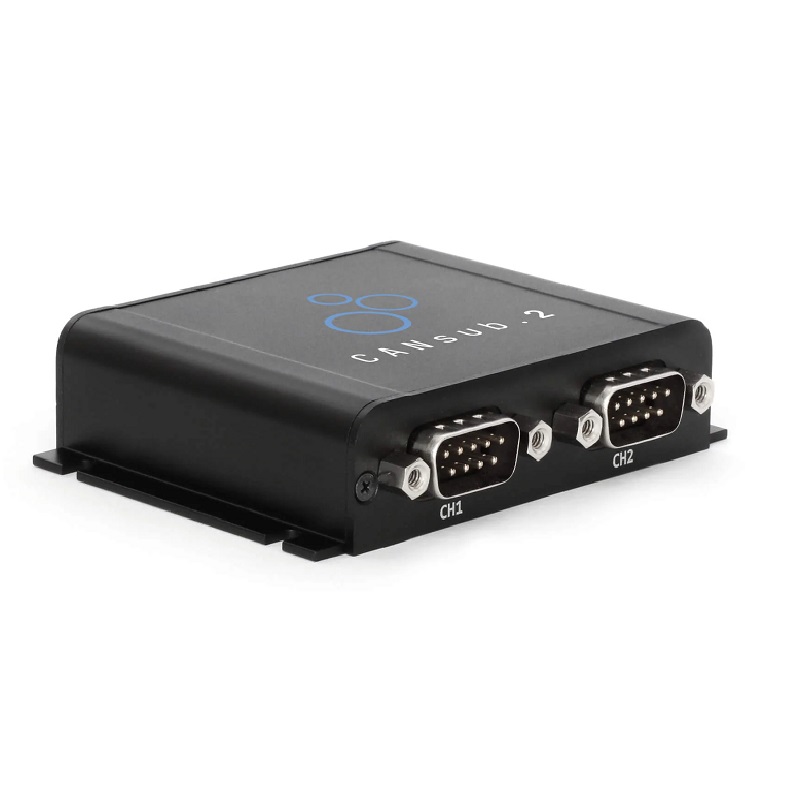
CANsub.2 is a dual-channel CAN FD interface with USB and Ethernet connectivity for real-time CAN data monitoring, analysis, and application integration.
Product Description
This 2 x CAN FD interface lets you stream CAN bus data in real-time via USB/Ethernet - with pro specs, built-in LCD display and zero software installation.
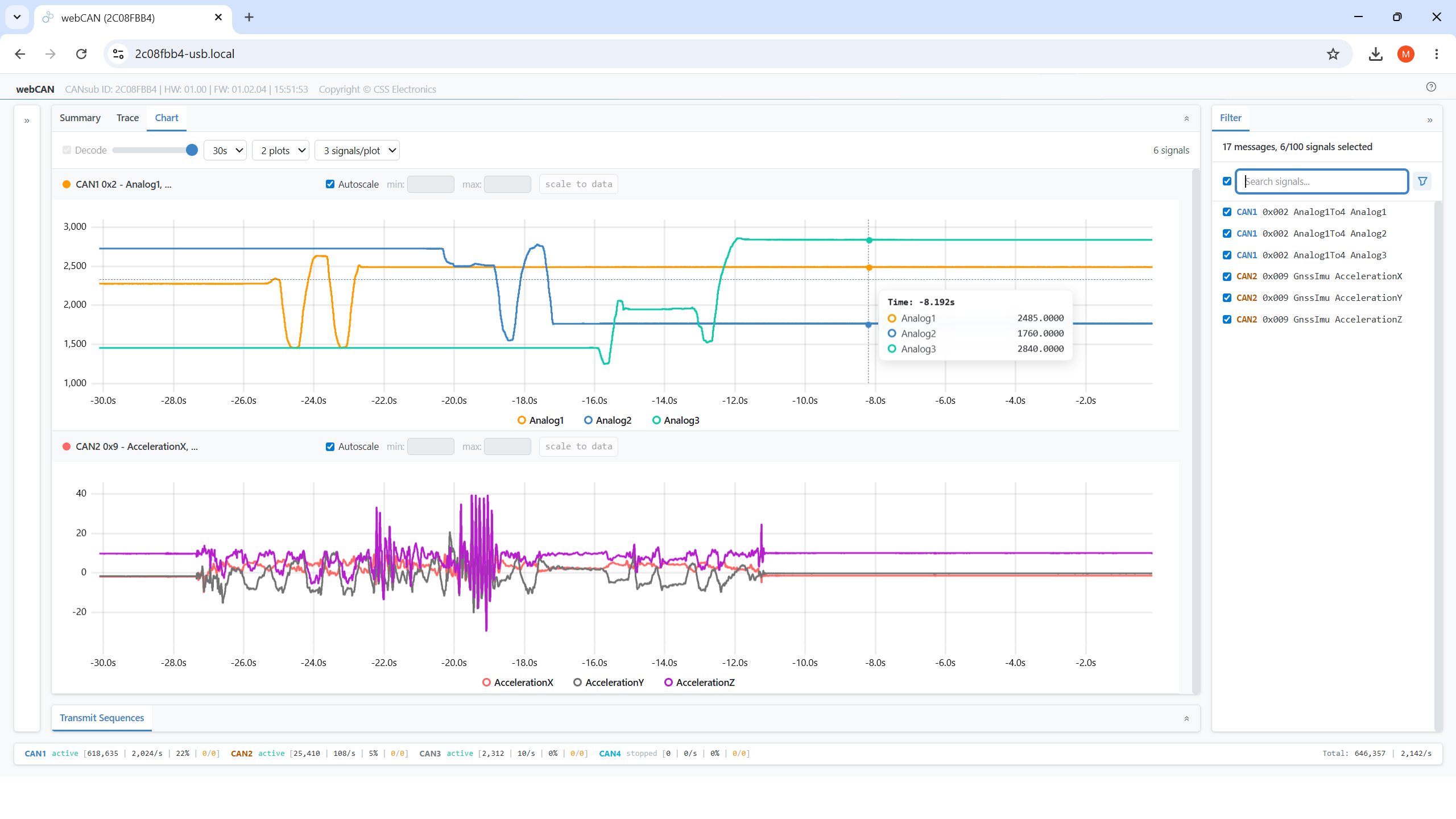
The free webCAN app is hosted offline on the CANsub - simply enter the device URL in a browser to start. This lets you instantly send/receive CAN frames, DBC decode data and plot CAN signals from any connected PC, tablet or phone.
The device provides an open REST/WebSocket API that lets you easily build 3rd party apps - with plug & play integrations for e.g. Python and SavvyCAN.
Ideal for CAN bus diagnostics, OEM development, field service, automation, sniffing and dashboards.
Outline
ZERO INSTALL
Power the device via USB, enter the device URL in a web browser, and start streaming CAN data instantly without software installation.
COMPACT
Compact design measuring only 8 × 7 × 2 cm and weighing just 90 g. Features a durable aluminum enclosure with a built-in LCD status display.
PRO SPECS
Supports dual CAN FD channels, galvanic isolation, processing of over 20,000 frames per second, 1 μs timestamps, error frame detection, and silent mode operation.
WEBCAN APP
The built-in webCAN application runs directly on the device, enabling configuration, CAN data monitoring, DBC decoding, signal plotting, and more.
USB + ETHERNET
USB connectivity provides direct CAN access from a laptop, while Ethernet enables network connectivity, Wi-Fi access, remote operation, and secure HTTPS communication.
OPEN API
Open REST and WebSocket APIs allow seamless development of custom web applications, Python integrations, and other third-party solutions.
Professional-Grade CAN Bus Interface at a Competitive Price
The compact CANsub.2 enables transmission and reception of 2 CAN FD channels via USB or Ethernet, delivering professional-grade performance and features:
- 2 x CAN channels (including CAN FD) with galvanic isolation
- Stream CAN bus data in real time via USB or Ethernet
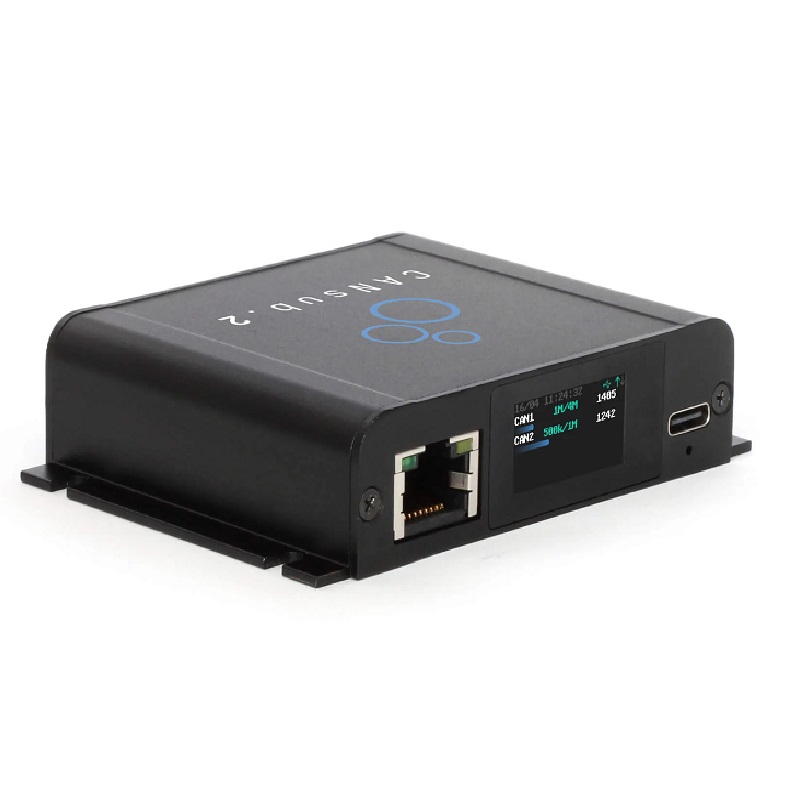
- Built-in LCD display showing device URL and live CAN bus status
- Integrated webCAN application with zero software installation required
- Processes over 20,000 CAN frames per second with 1 μs timestamp resolution
- Configurable Silent Mode and hardware ID filtering
- Transmit list jobs with high-precision edge-based timing control
- Supports CAN Error Frames and Remote Frames (RTR)
- Equipped with 2 x DB9 connectors for standard adapter cables such as OBD2-to-DB9 and J1939-to-DB9
webCAN Runs on Your CANsub, Zero Installation Required
The webCAN application is hosted directly on the CANsub device. Simply enter the device URL in your web browser to start monitoring and analyzing CAN bus data.
- No drivers, software installation, or internet connection required
- Configure CAN bit rates with auto-detection support
- Set hardware filters, silent mode, and CAN error monitoring
- Create custom transmit sequences with optional DBC encoding
- Connect and monitor multiple CAN buses simultaneously with 20,000+ frames per second throughput
- Load and assign DBC files for real-time signal decoding
- View statistics for CAN IDs and decoded signals
- Import, export, and review trace data with support for up to 2 million frames
- Supports J1939 TP, ISO-TP, and NMEA 2000 Fast Packet protocols
- Visualize decoded signals using real-time charts
- Powerful filtering options for CAN IDs and signals
- Save and load device configurations and DBC settings
Access Your CAN Data from Anywhere via Ethernet
Flexible Local and Remote Connectivity
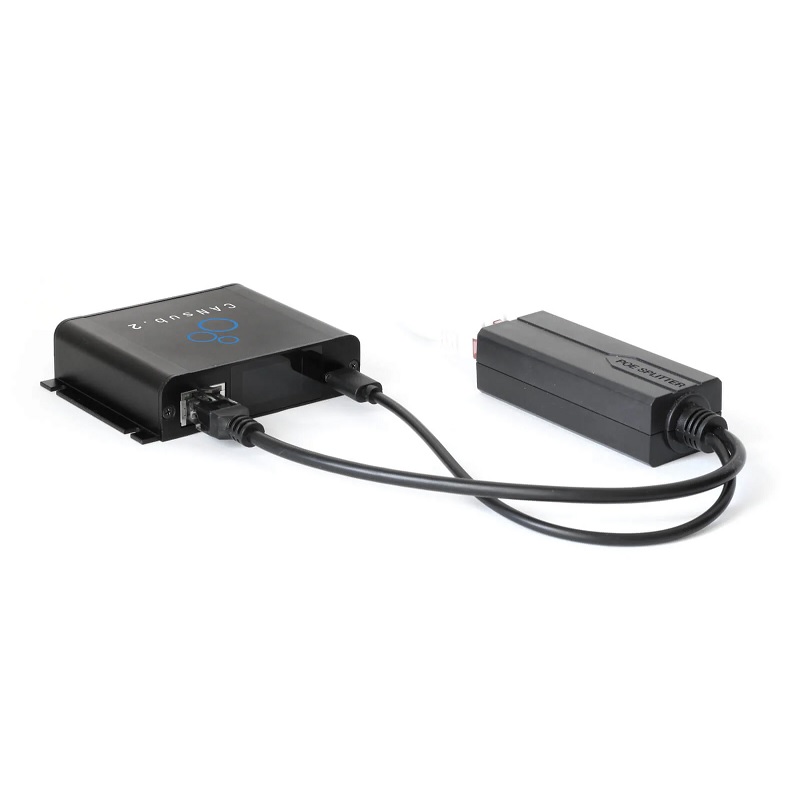
Connect the CANsub to a router via Ethernet and access your CAN data through LAN, Wi-Fi, or even the Internet.
- Access the CANsub from any device on the network
- webCAN provides instant access from any PC, tablet, or smartphone
- Connect to a Wi-Fi router for wireless operation
- Manage multiple devices using unique bookmarked URLs
- Secure remote access over the Internet via VPN, including LTE router deployments
- All communications are encrypted using HTTPS (TLS)
- Optional Power-over-Ethernet (PoE) adapter available for simplified installation
.svg)
100% Open CAN Interface
Free Software and Open APIs Included
The CANsub provides open REST and WebSocket APIs for custom applications and integrations, along with a powerful ecosystem that extends far beyond webCAN.
- Python API: Automate CAN data streaming and processing, including AI-agent-based workflows
- SavvyCAN: Stream raw or decoded CAN data for logging, analysis, and CAN sniffing applications
- PlotJuggler: Visualize CAN signals with advanced plotting and data transformation capabilities
- REST API: Configure, monitor, and manage devices via an OpenAPI-compatible interface
- WebSocket API: Real-time streaming of raw CAN frames
- JavaScript / TypeScript Libraries: Rapid development of custom CANsub web applications
- AI-Friendly Documentation: LLM-optimized TXT documentation for faster integration and development workflows
Technical Specifications
| Item | Specification |
|---|---|
| Functionality | CAN-USB / Ethernet Interface with 2 × CAN FD Channels |
| Firmware | Free Firmware Updates Supported |
| Software | Built-in webCAN Application, SavvyCAN Support, Python API |
| APIs | REST API, WebSocket API, JavaScript / TypeScript Libraries |
| Certifications | CE, FCC, IC, RoHS |
| Warranty | 1-Year Warranty |
| Origin | Denmark |
| Interfaces | USB-C, RJ45 Ethernet |
| Security | HTTPS (TLS 1.2) |
| Discovery | mDNS Device Discovery |
| CAN Channels | 2 × CAN FD |
| CAN Standard | ISO 11898 (CAN 2.0A / 2.0B, CAN FD) |
| Bit Rates | 5 Kbit/s to 1 Mbit/s (CAN), 1 / 2 / 4 / 5 Mbit/s (CAN FD) |
| Supported Protocols | J1939, CANopen, NMEA 2000, OBD2, UDS, CCP/XCP, etc. |
| CAN Identifiers | 11-bit Standard, 29-bit Extended |
| Isolation | Basic Galvanic Isolation |
| Bit Rate Configuration | Auto Detection or Manual Configuration |
| Protection | Short Circuit, Bus Fault, and Undervoltage Protection |
| Timestamp Resolution | 1 μs |
| Throughput | 20,000+ Frames/s |
| Silent Mode | Hardware-Based Silent Mode |
| Hardware Filters | Multiple Hardware ID Filters |
| Error Frame Support | Yes |
| RTR Frame Support | Yes |
| Display | 160 × 80 Color TFT LCD |
| Display Information | Device URL/IP, CAN Status, Bus Load, Bit Rate, Frames/s |
| Power Supply | 5V DC via USB-C (Optional PoE Adapter Available) |
| Power Consumption | < 1 W |
| Enclosure | Aluminum Housing |
| Dimensions | 75 × 67 × 20 mm |
| Weight | 90 g |
| CAN Connector | 2 × DB9 |
| Ethernet Connector | RJ45 |
| USB Connector | USB Type-C |
| Mounting | Velcro Strips or Mounting Kit |
| Operating Temperature | -25°C to +70°C |
| IP Rating | IP40 |