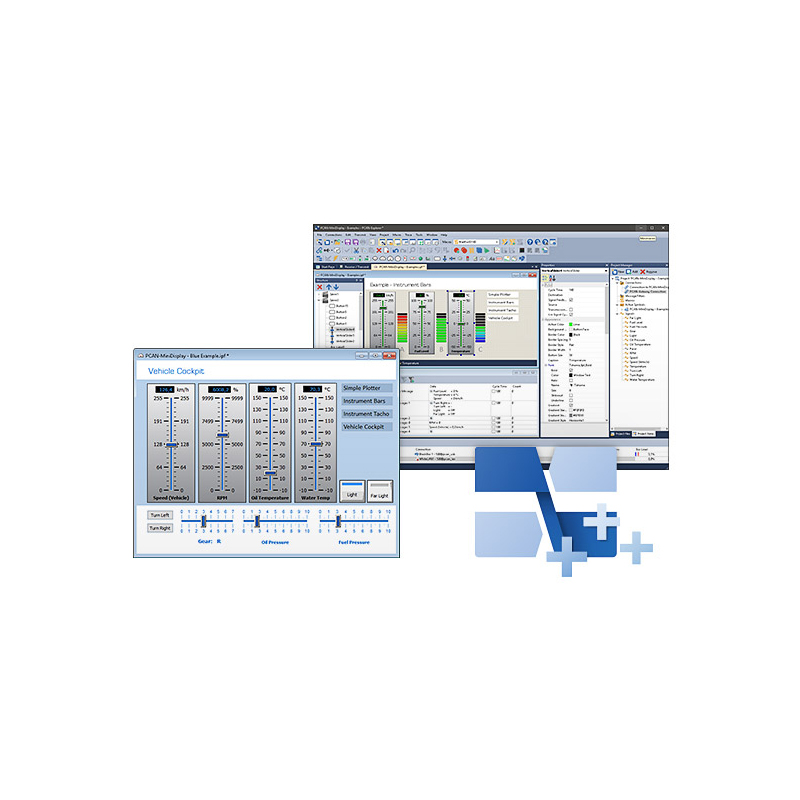
PE6: Instruments Panel Add-in 6
Part No.: MPPK-IPES-006088
Optional Function Upgrade for the PCAN-Explorer
※ Microport is the exclusive authorized distributor of PEAK-System in Taiwan.
Product Description
End of Life - The Software will be Discontinued
Please note: The PCAN-Explorer 6 will only be available until January 28, 2027. Maintenance and support for the product will end on January 28, 2028. Add-ins for the PCAN-Explorer 6 can only be purchased until January 28, 2027. We recommend to consider an upgrade to the PCAN-Explorer 7.
Description
The Instruments Panel Add-in allows the graphical representation of digital and analog signals using different display instruments. The integrated input options and controllers make it possible to also generate signals on the CAN bus, allowing easy simulation of complex CAN applications.
Features
- Representation of analog and digital signals from received CAN messages using different display instruments
- In addition to potentiometers, switches, and sliding controllers, input fields can be used to generate CAN messages
- New instruments like an analog 360° gauge and a shape element for displaying squares, rectangles, circles, and ellipses
- Selection and configuration of multiple elements at the same time
- Extensive configuration of the properties of one or more elements using the property window
- The Instruments Panel object model enables complete automation using COM and scripts
- Representation of different scenes on the same panel during runtime
- Signal-dependent display of image lists and scenes
- Free positioning of the instruments using drag & drop, or numerical inputs for spot-on positioning
- Loading and storing of complete panel configurations
System requirements
- PCAN-Explorer 6
- Windows® 11 (x64/ARM64), 10 (x86/x64)
- Free USB port for installation stick and copy protection dongle
Scope of Supply
- IPES-006088: Single computer license or portable license with USB copy protection dongle
- Installations files for Instruments Panel Add-in
- Documentation in HTML help format
Note: Software delivery on USB stick. Alternative installation media or download on request.
Note:
2. EOL products will not be notified separately.
3. Product images are for reference only. Actual products may vary depending on the version or specifications.
4. Product information, specifications, and availability are subject to confirmation at the time of order.