OBD-II ECU Simulator
Part No.: MPHH-OBDII-ECU-Simulator
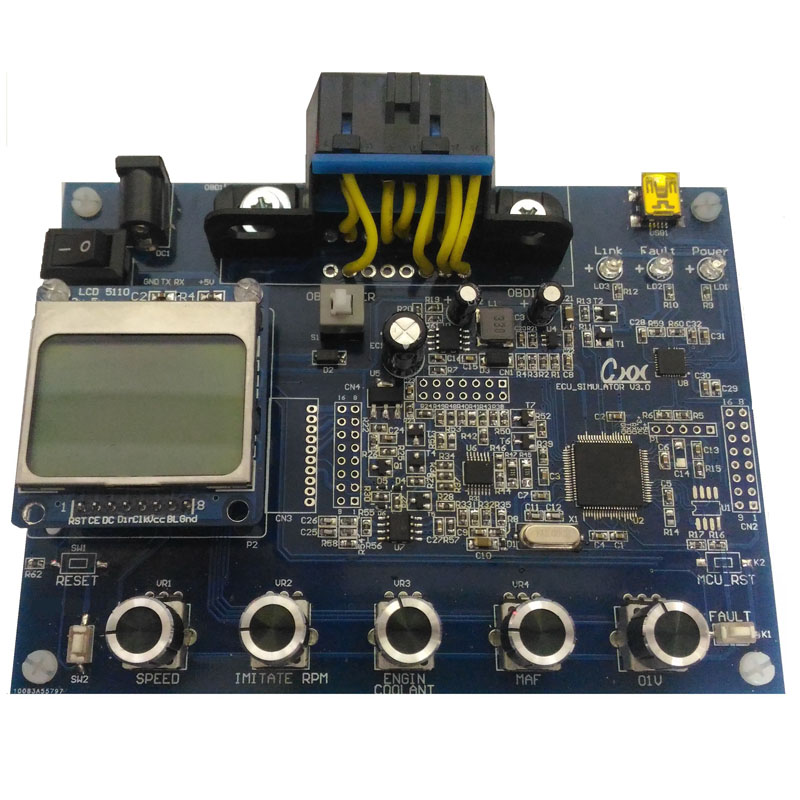
It can simulate all vehicles that comply with the OBD-II standard.
Product Description
Description
The OBDII ECU Emulator can simulate vehicles that comply with OBD-II standards, including ISO 15765, SAE J1850, ISO 14230, and other common OBD-II communication protocols. It is suitable for developing OBD diagnostic software for PCs, smartphones, and tablets, as well as for testing and developing OBD diagnostic tools and learning OBD diagnostic communication protocols.
Examples of products that can be developed include:
- OBD-II vehicle testers
- OBD-II diagnostic tools
- OBD-II fuel consumption analyzers
- Head-up displays (HUD)
- Smart vehicle computers
- Vehicle information analysis systems
The OBDII ECU Emulator is ideal for automotive electronics research and development, including applications by automotive manufacturers, aftermarket automotive electronics developers, and academic researchers.
Feature Description
- Supports all OBD-II standard communication protocols:
- SAE J1850 PWM (41.6 kbaud)
- SAE J1850 VPW (10.4 kbaud)
- ISO 9141-2 (5-baud initialization)
- ISO 14230-4 (5-baud initialization)
- ISO 14230-4 (Fast Initialization)
- ISO 15765-4 CAN (11-bit ID, 500 kbaud)
- ISO 15765-4 CAN (29-bit ID, 500 kbaud)
- ISO 15765-4 CAN (11-bit ID, 250 kbaud)
- ISO 15765-4 CAN (29-bit ID, 250 kbaud)
- Supports three ECU simulation types: ECM, TCM, and ABS
- Supports SAE J1979 modes: 1, 2, 3, 4, 7, 9, and A
- "MIL", "Link", and "Power" indicator LEDs
- "FAULT" button for fault simulation
- Five rotary knobs for adjusting the following commonly used PIDs:
- Vehicle Speed (km/h)
- Engine Speed (RPM)
- Coolant Temperature (°C)
- Mass Airflow (MAF)
- Oxygen Sensor Voltage (V)
- USB (USB-to-RS-232) connection for configuration, control, monitoring, and firmware updates
- Standard SAE J1962 connector interface
Appearance Description
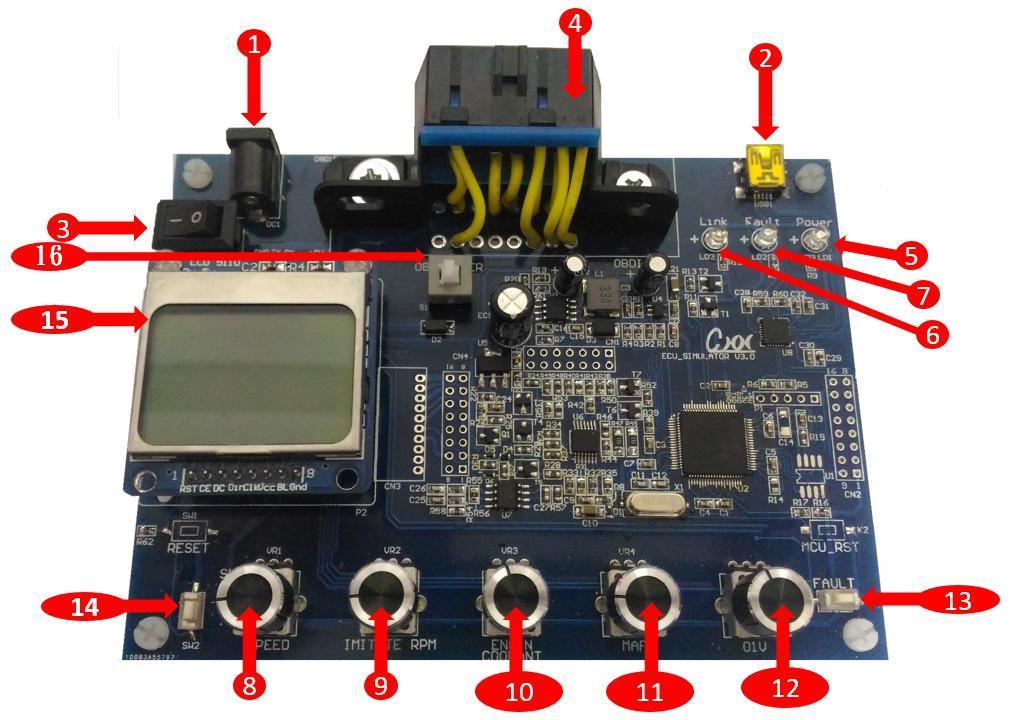
| No. | Descripion |
|---|---|
| 1 | Power Input (12 V power supply, 12 V/1 A or higher recommended) |
| 2 | USB Communication Interface |
| 3 | OBD2 Power Switch |
| 4 | SAE J1962 Connector |
| 5 | Power Indicator LED |
| 6 | Connection Indicator LED |
| 7 | Fault Indicator LED |
| 8 | Vehicle Speed Knob |
| 9 | Engine Speed Knob |
| 10 | Mass Airflow Knob |
| 11 | Coolant Temperature Knob |
| 12 | Oxygen Sensor Voltage Knob |
| 13 | Fault Simulation Button |
| 14 | Protocol Selection Button |
| 15 | LCD Display |
| 16 | OBD-II SAE J1962 Power Switch |
Software Features
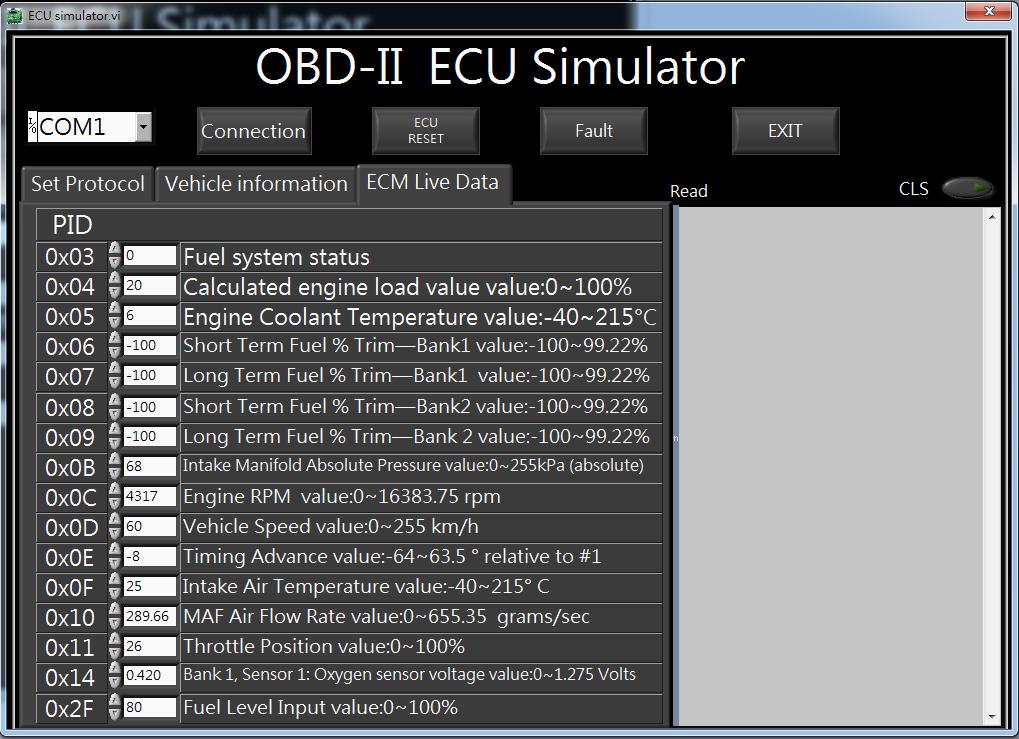
Communication Protocol Configuration
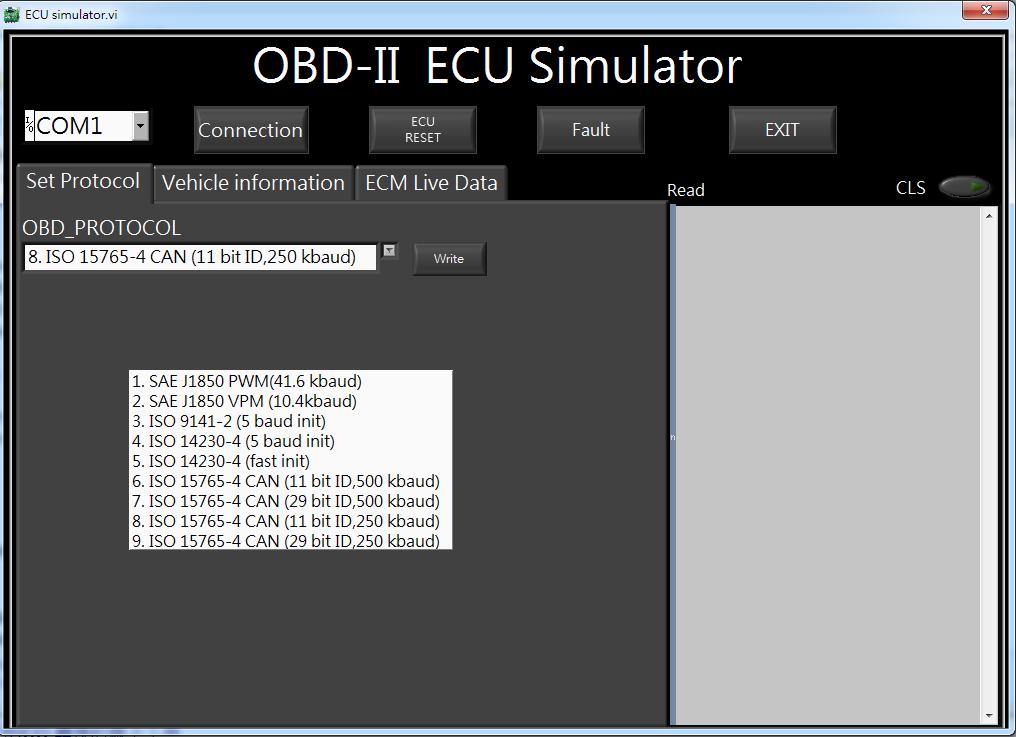
Vehicle Information Configuration
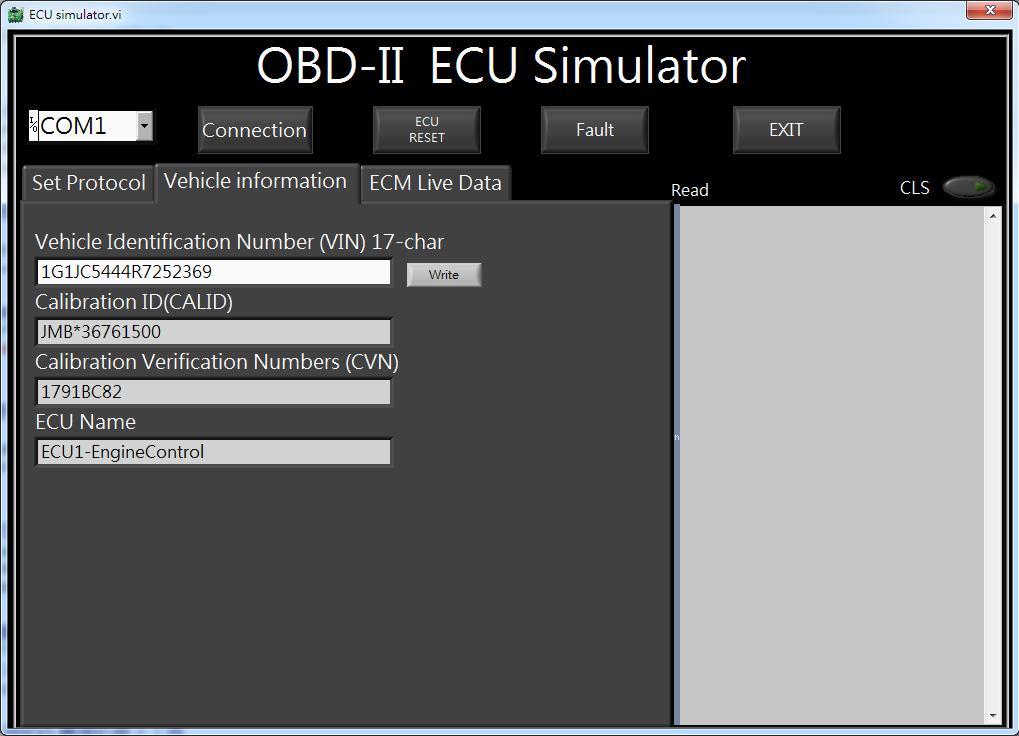
Vehicle Informatoin Settings
Connect to Diagnostic Software
- Diagnostic Tools: ELM327 or other standard diagnostic tools
- Diagnostic Software: ScanMaster, PCMSCAN, or other compatible software
.jpg)
Note:
2. EOL products will not be notified separately.
3. Product images are for reference only. Actual products may vary depending on the version or specifications.
4. Product information, specifications, and availability are subject to confirmation at the time of order.