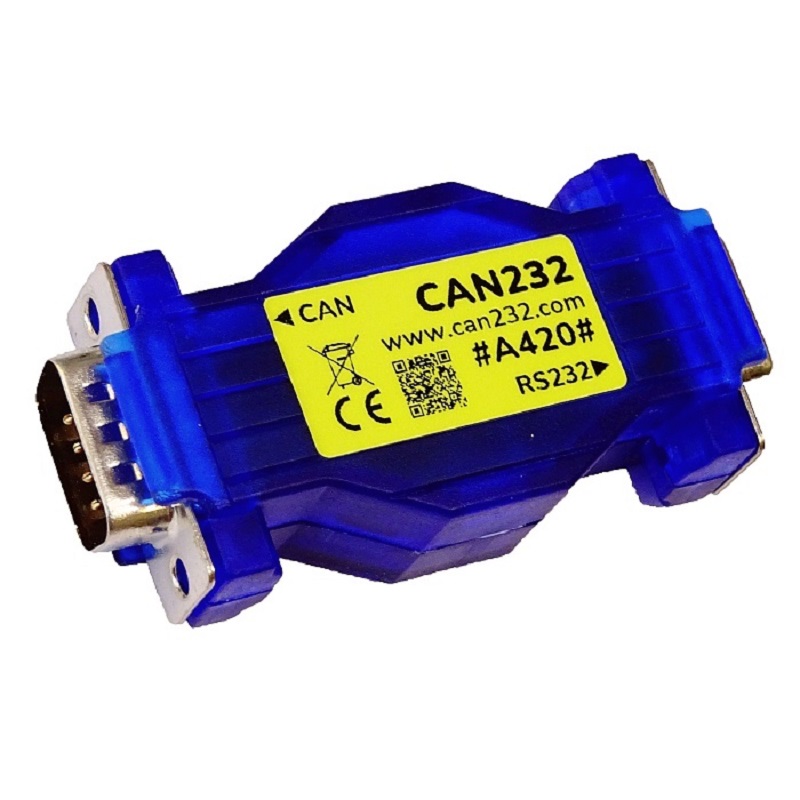
CAN232
Part No.: MPLW-CAN232
An Interface Adapter to easily access CAN Bus Systems over RS232
Product Description
Description
CAN232 is a very small dongle that plugs into any PC COM Port or any other RS232 port in an embedded system (master) and gives an instant CAN connectivity. This means it can be treated by software as a standard COM Port (serial RS232 port) which eliminates the need for any extra drivers. Sending and receiving CAN frames can be done in our standard ASCII protocol. This means the RS232 side is the master. This unit cannot connect RS232 devices and make them send CAN frames unless you use our ASCII protocol on the RS232 side.
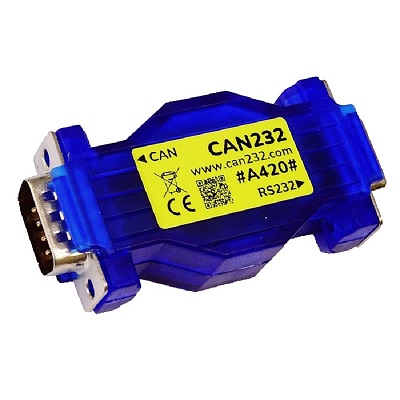
Dimensions & Weight
- Length: 68mm
- Width: 31mm
-
Height: 30mm.
Speicications
- Can handle up to 1Mbit/s CAN bitrate, though not at 100% busload!
- Industrial Temp range -40C to +85C
- Philips SJA1000 CAN Controller running at 16Mhz
- Philips 82C251 CAN Tranceiver (Fully Compatible with ISO 11898-24V)
- Compliant to CAN 2.0A (11bit ID’s) and CAN 2.0B (29bit ID’s)
- Supports RTR frames
- Supports “Listen Only Mode”
- 32 CAN frames deep FIFO buffer for incomming frames
- Time Stamp (optional) in mS for incomming frames
- CANbus connection according to CiA DS102-1 standard
- Standard DB9 RS232 connection, TXD, RXD, GND (NO TTL LEVELS!)
- Power supplied via CAN connector pin 3 & 9 (6-16VDC)
- Power consumption is less than 70mA at 12VDC
- Green LED for CAN activity
- Green LED for RS232 activity
- Red LED for CAN error activity
- Yellow LED for operational status
- Firmware updatable via RS232
- RS232 side is Master side
- CE, RoHS & WEEE Compliant
Features
The module plugs directly into a standard serial port and provides a standard DB9 male output to CAN systems according to CiA (CAN in Automation) recommendations. It is powered with 8-15VDC through the CAN connector with ESD protection and reveresed power. It consumes max 100mA, but normally not more than 40mA (this depends on BUS load and eventual CAN cable errors etc.). Use your own RS232 LIB/drivers (in e.g. Visual Basic, Deplhi, C++ etc.).
Pin assignement

Pin assignement according to CiA recommendations DS102-1.
The CAN232 is powered with +Vin (6-16VDC) at pin 9 and GND at pin 3 on DB9 Male connector.
How to connect
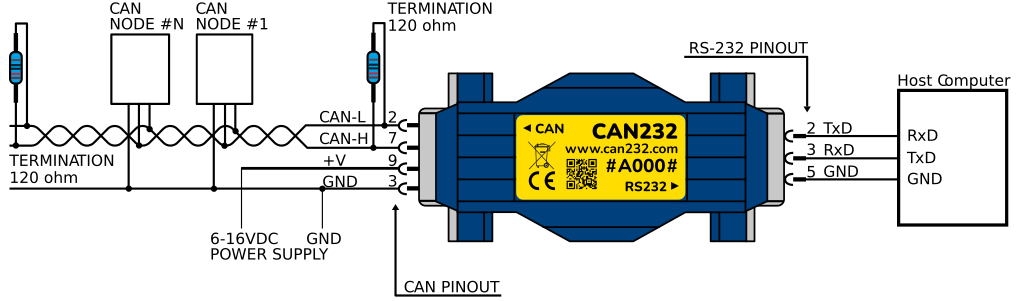
The picture above shows how to connect the CAN232. It can powered from 6 to 16VDC, however nominal is 12VDC. Any higher voltage will damage the CAN232.
Also note that in order for CAN to work, you need at least 2 CAN nodes in operational mode (CAN specifications), the CAN network should also be properly teminated in both ends, so if you connect CAN232 in the end of the network, you must add one 120ohm resistor near the CAN232 and then one 120ohm resistor in the other end of the network. If CAN232 is in “Listen Only Mode”, the CAN232 is not in operational mode, so you need two other nodes in operational mode!
- CAN side is DB9 Male
- RS232 side is DB9 Female
Note:
2. EOL products will not be notified separately.
3. Product images are for reference only. Actual products may vary depending on the version or specifications.
4. Product information, specifications, and availability are subject to confirmation at the time of order.