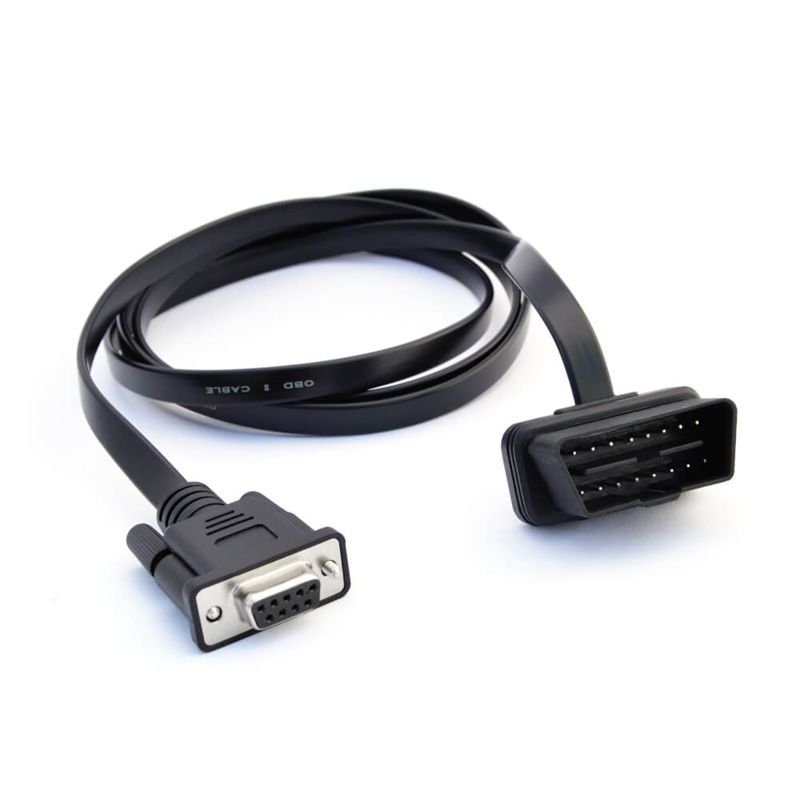
DB9-OBD2 Adapter
Part No.: MPCSS-DB9-OBD2-Adapter
OBD2-to-DB9 Adapter Cable [Cars, Trucks, Buses]
Product Description
Description
Need to log/stream OBD2 or CAN bus data from your car, truck or bus?
This 1.5 meter OBD2-DB9 adapter cable fits the connector found near your car's steering wheel and lets you easily connect a CANedge CAN logger or CANsub CAN interface to start recording OBD2/CAN data.
Outline
- CAR READY: Fits your car's on board diagnostic connector (below steering wheel)
- TRUCK READY: Type B - center pin hole enables use in 24V vehicles (e.g. trucks)
- SMALL: Flat connector head for easy installation in tight areas
- SOLID CABLES: Rugged quality 1.5m cable with overmolded DB9 connector
- ROHS: Cables are RoHS compliant and tested in Denmark
About the DB9-OBD2 adapter
The DB9-OBD2 adapter cable is used in passenger vehicles - incl. cars, taxis, light duty vehicles etc. It's also sometimes used heavy duty vehicles (trucks, buses, ...). The cable is compatible with our CANedge CAN loggers and CANsub CAN interfaces - letting you connect either directly to the CAN bus.
To install, simply locate the OBD2 16-pin connector near your steering wheel - see also this location guide page.

Specifications
GENERAL
- Adapter Cable Length: 150 cm
- Adapter DB9 Pins: In accordance with CiA 303-1
- Cable Thickness: 22 AWG (0.50 mm2)
- Connectors: 9-pin D-sub (DB9) female to OBD2 16-pin
- Type: Type B (hole in center pin enables use in e.g. vans/trucks)
- Temperature: Operating temperature: -20degC to +80degC
- Weight: 100G
- Color: Black
Adapter pinout

|
DB9 (female) |
Function | OBD2 |
|---|---|---|
| 1 | N/C | |
| 2 | CAN-L | 14 |
| 3 | GND | 4 |
| 4 | N/C | |
| 5 | N/C | |
| 6 | N/C | |
| 7 | CAN-H | 6 |
| 8 | N/C | |
| 9 | VCC | 16 |
USE CASES
Below are two use cases examples where the OBD2-DB9 adapter is useful:
Vehicle fleet telematics
.svg)
Need to log OBD2 data from a car fleet?
If you need to e.g. record data from a fleet of prototype cars for late stage field testing, the OBD2-DB9 adapter provides a simple way to connect your CAN logger. With direct access to the CAN bus, you can e.g. set up a CANedge3 to request OBD2 data along with the internally generated GPS/IMU data - and send it all via 3G/4G to your own server.
Vehicle reverse engineering

Need to reverse engineer the CAN bus of your car?
If you want to truly understand your vehicle, you'll often need to reverse engineer the proprietary raw CAN bus data. Here, the OBD2-DB9 adapter offers an easy way to connect your CANsub CAN interface to your car. Once powered, you can stream the data in real-time via USB or Ethernet into webCAN in your browser.
Note:
2. EOL products will not be notified separately.
3. Product images are for reference only. Actual products may vary depending on the version or specifications.
4. Product information, specifications, and availability are subject to confirmation at the time of order.